Downloading to iPhone/iPad
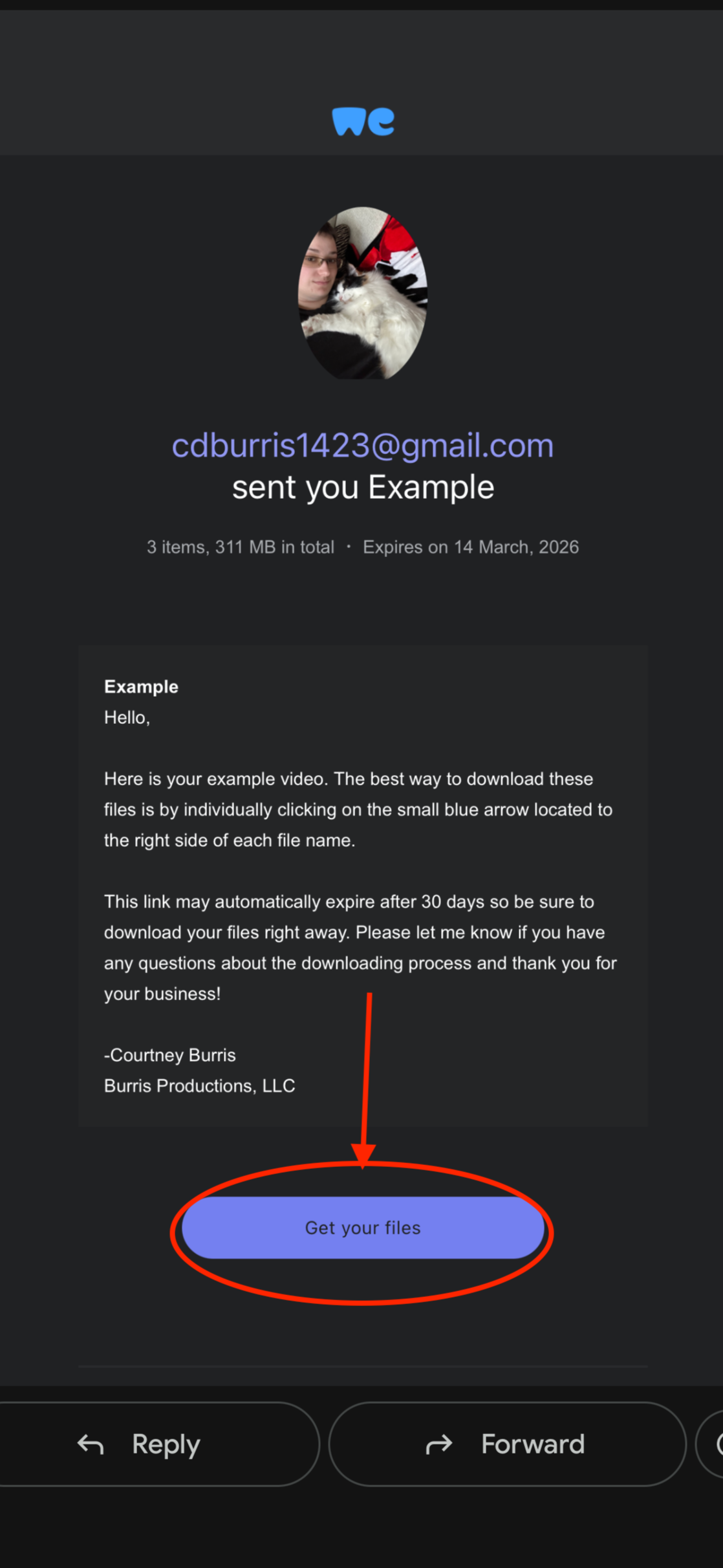
Once you open the email from wetransfer scroll down until you see the blue button that says “Get your Files”. Click on that button.
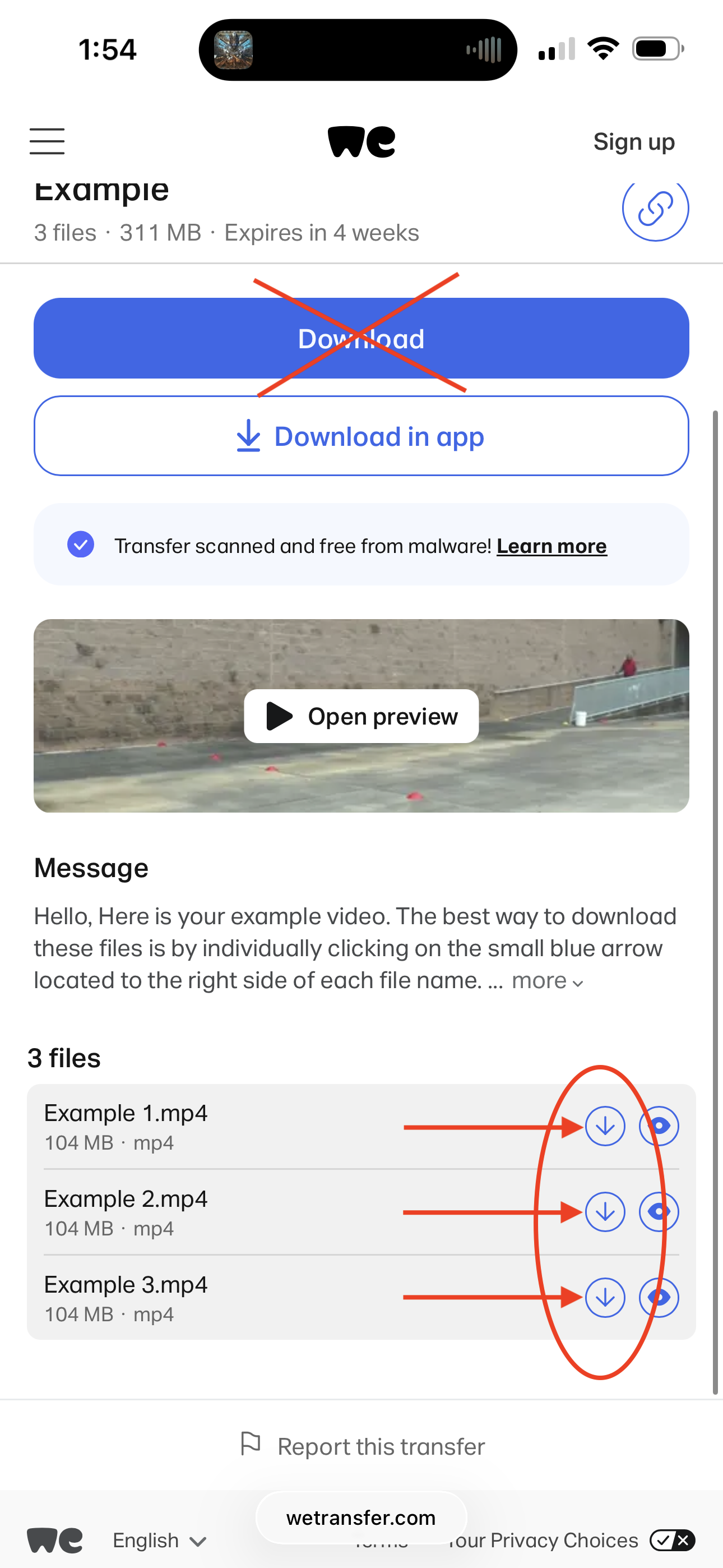
Once the Page loads scroll down a little bit to see each individual file listed. Then tap each individual blue arrow next to each file. This downloads each file separately.
*DO NOT Tap on the blue download button, it never works properly*
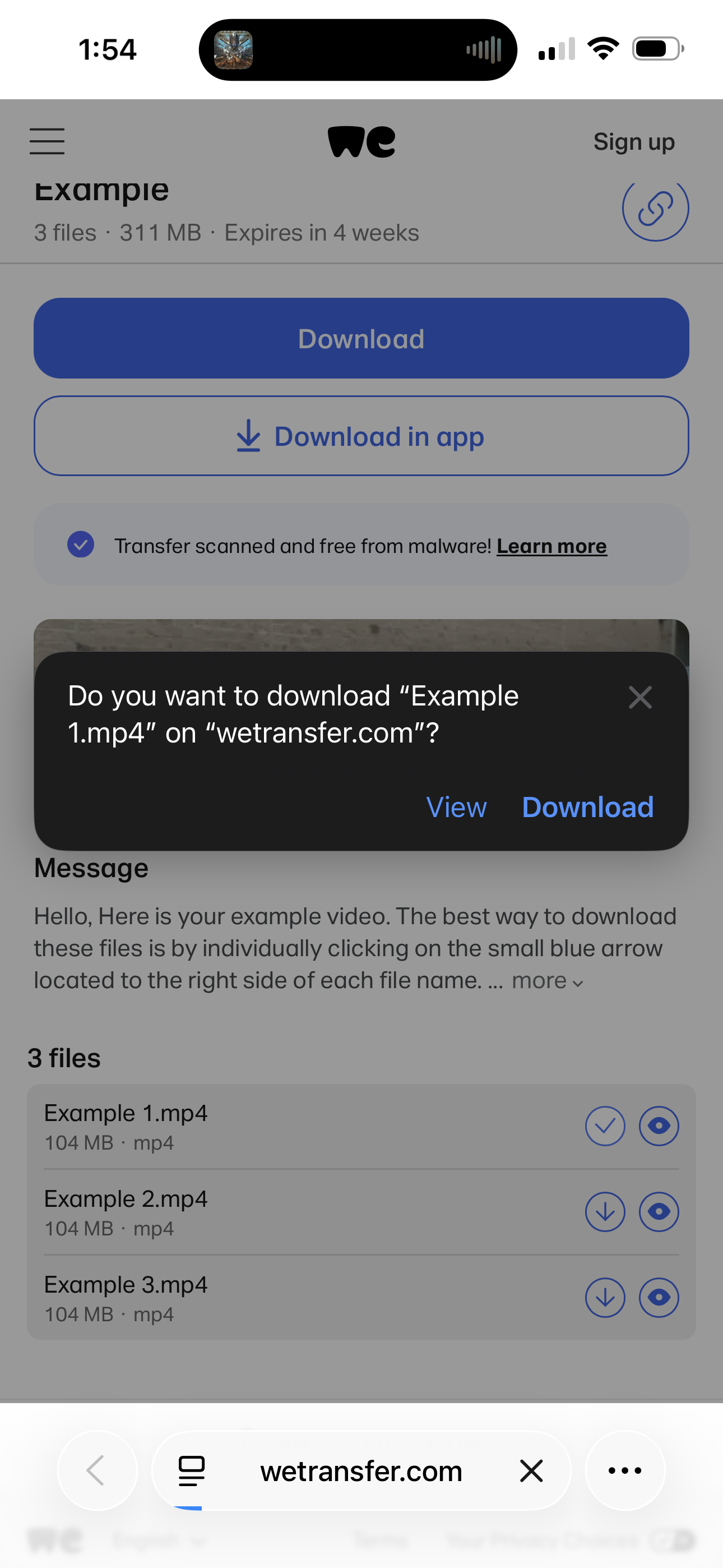
Then you may get this prompt. Tap Download.
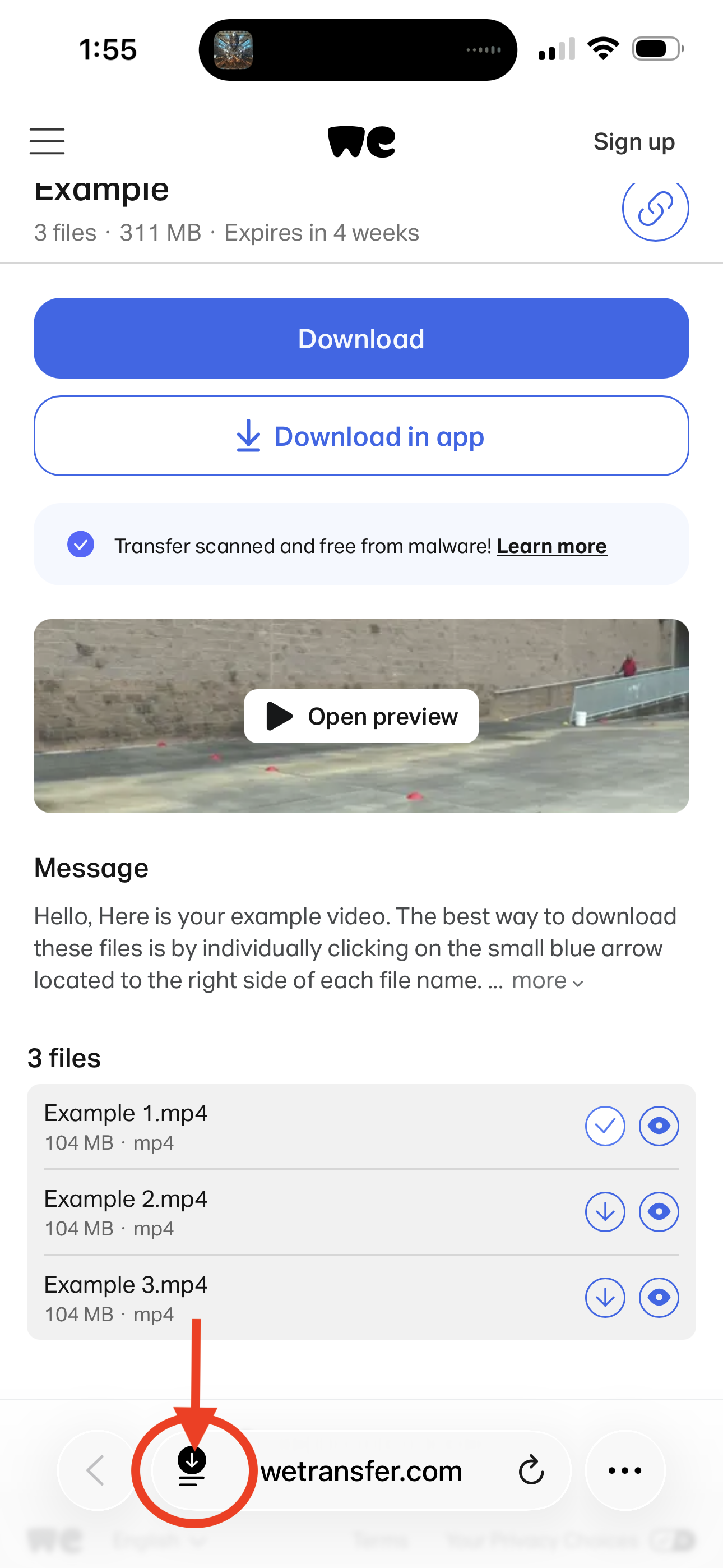
Once the videos are downloaded they will be at the bottom of your screen next to the website address. Tap on that black circle as shown in the picture.
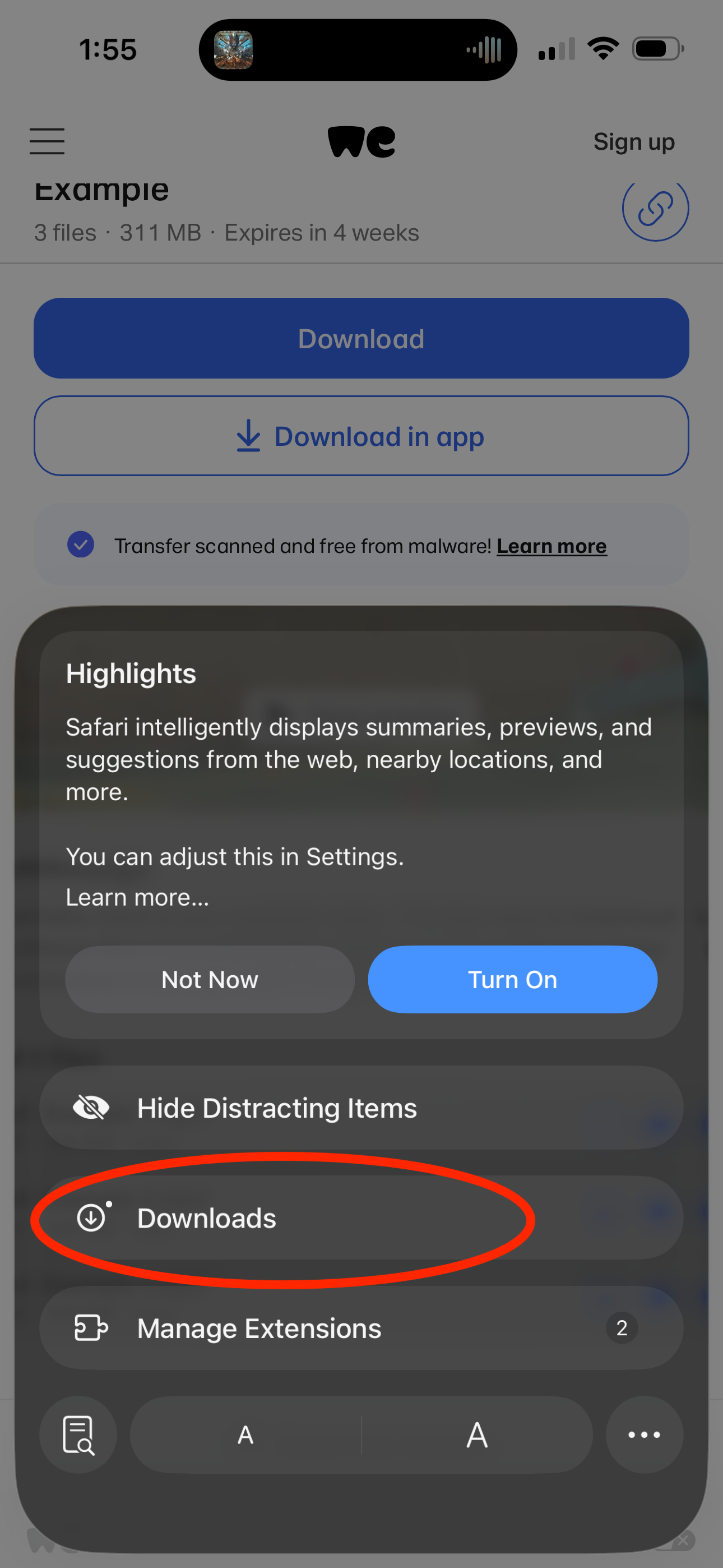
Then tap on Downloads.
*Repeat this step for each file.*
Tap on the file you want to save.
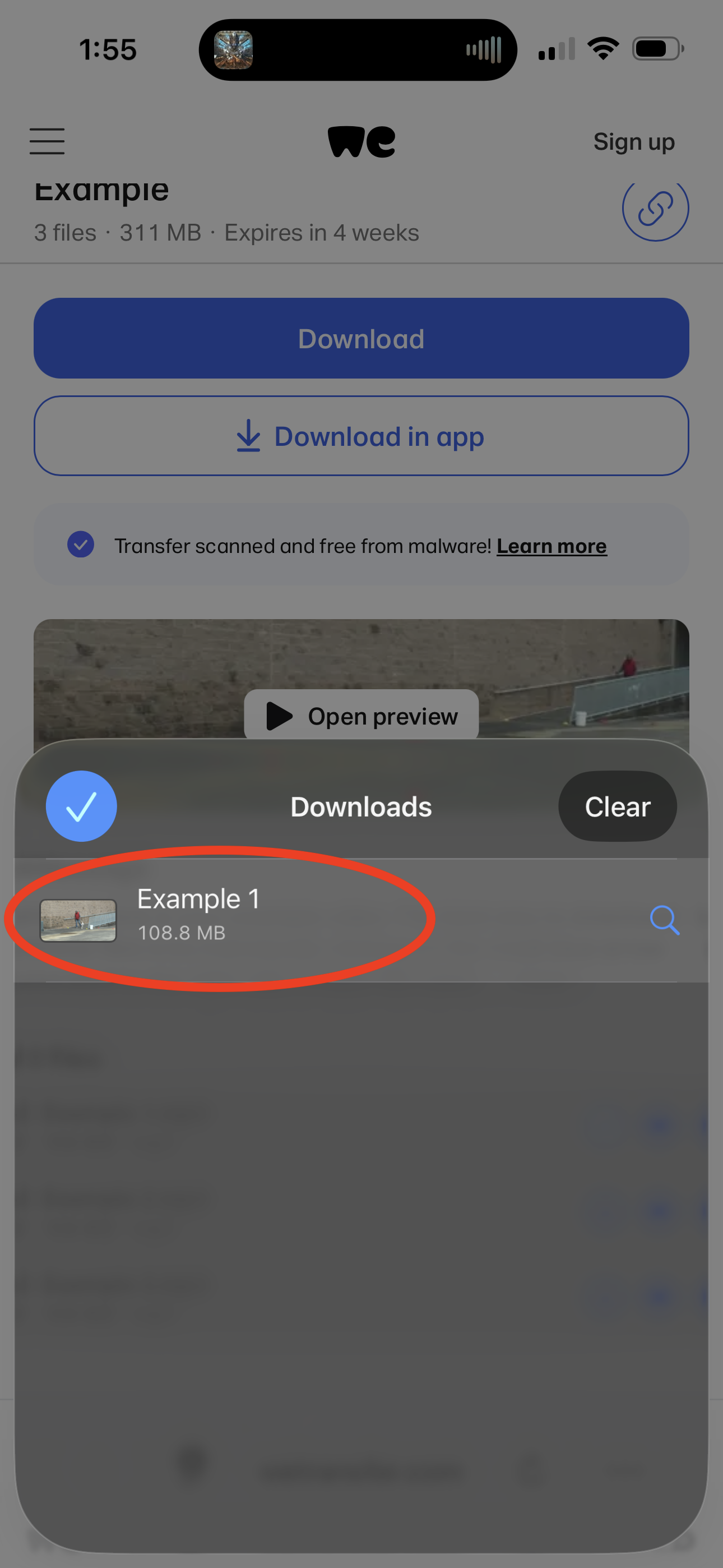
*Repeat this step for each file*
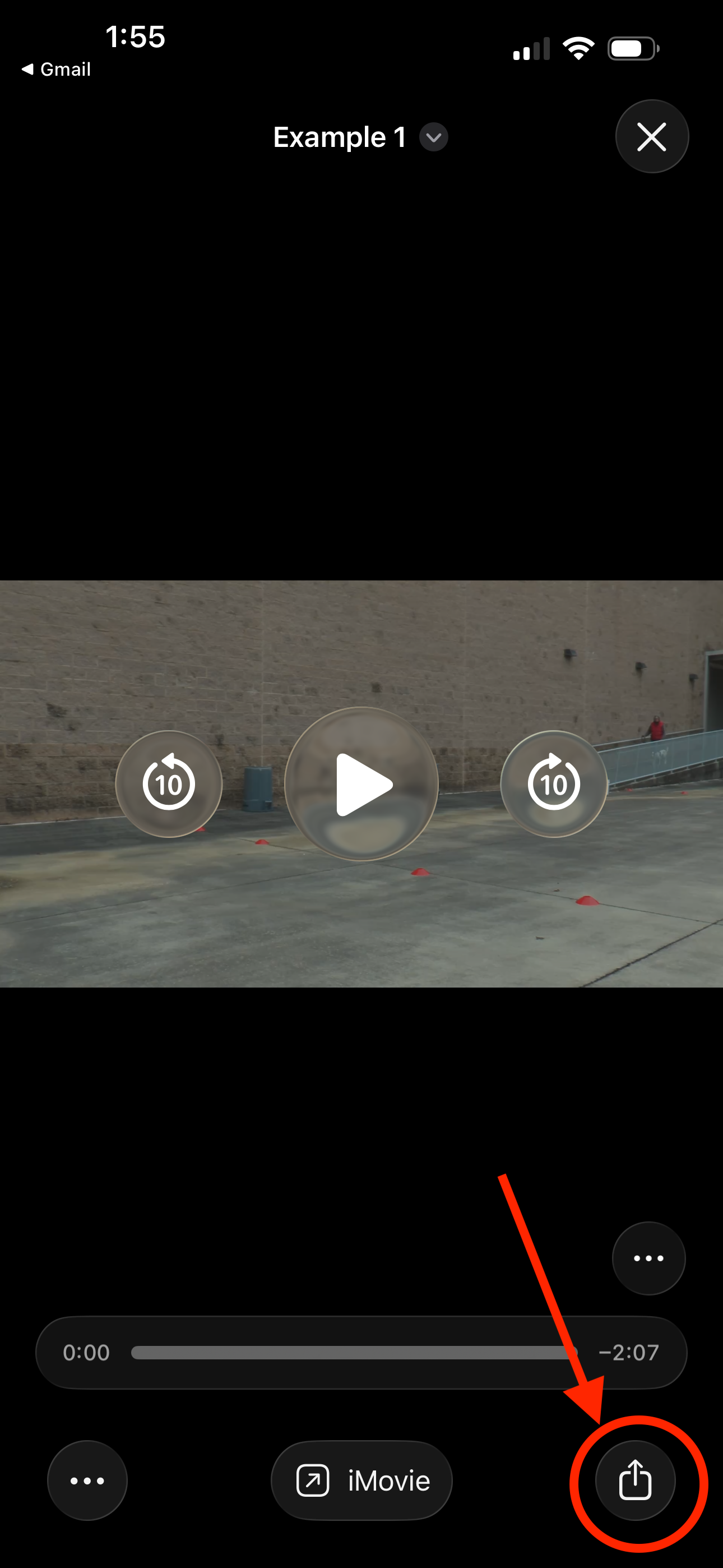
Tap on the Icon that looks like an arrow coming out of a box. It will be in the bottom right corner.
*Repeat this step for each file*
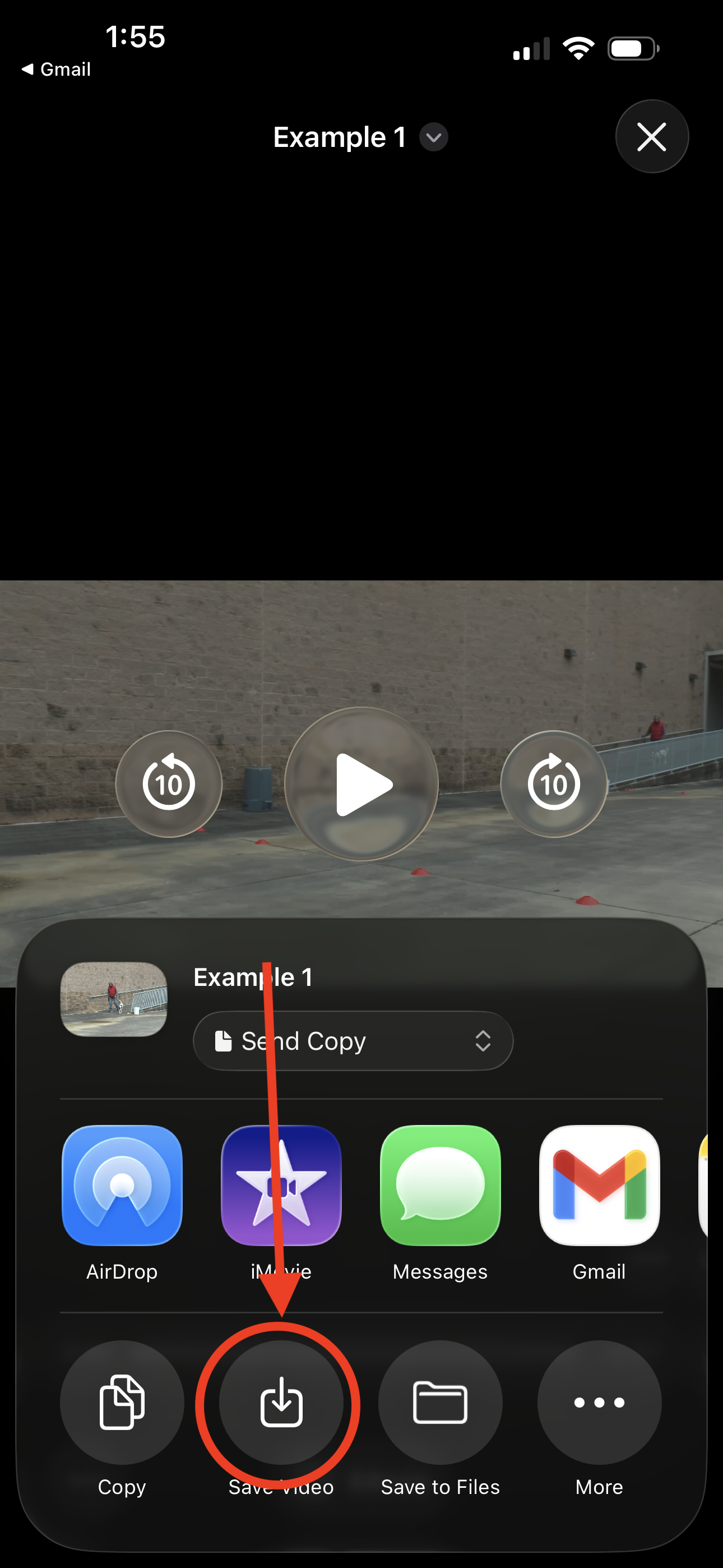
Tap on the Save Video Icon at the bottom of the screen. This will save your videos to your Photos App.