Downloading to Android
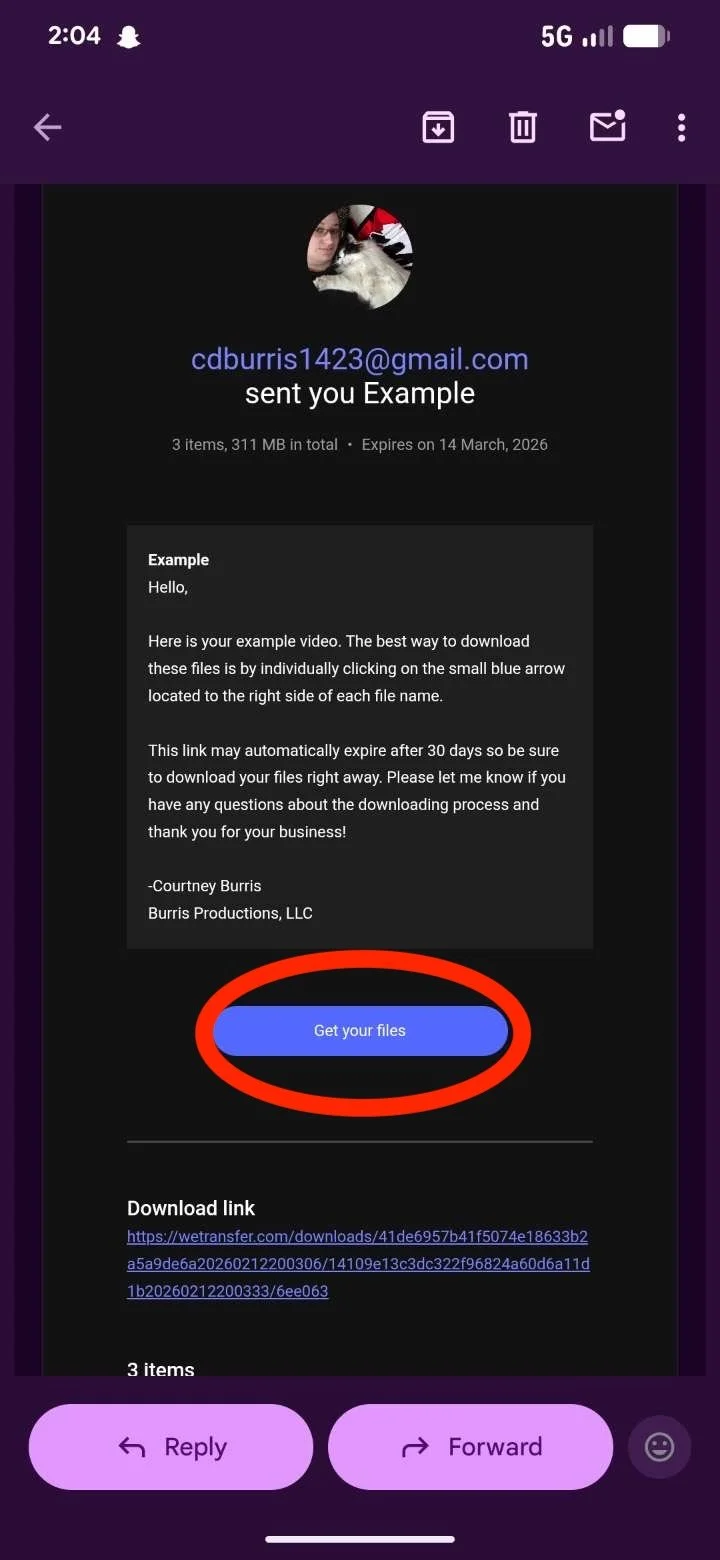
Once you open the email from wetransfer scroll down until you see the blue button that says “Get your Files”. Tap on that button.
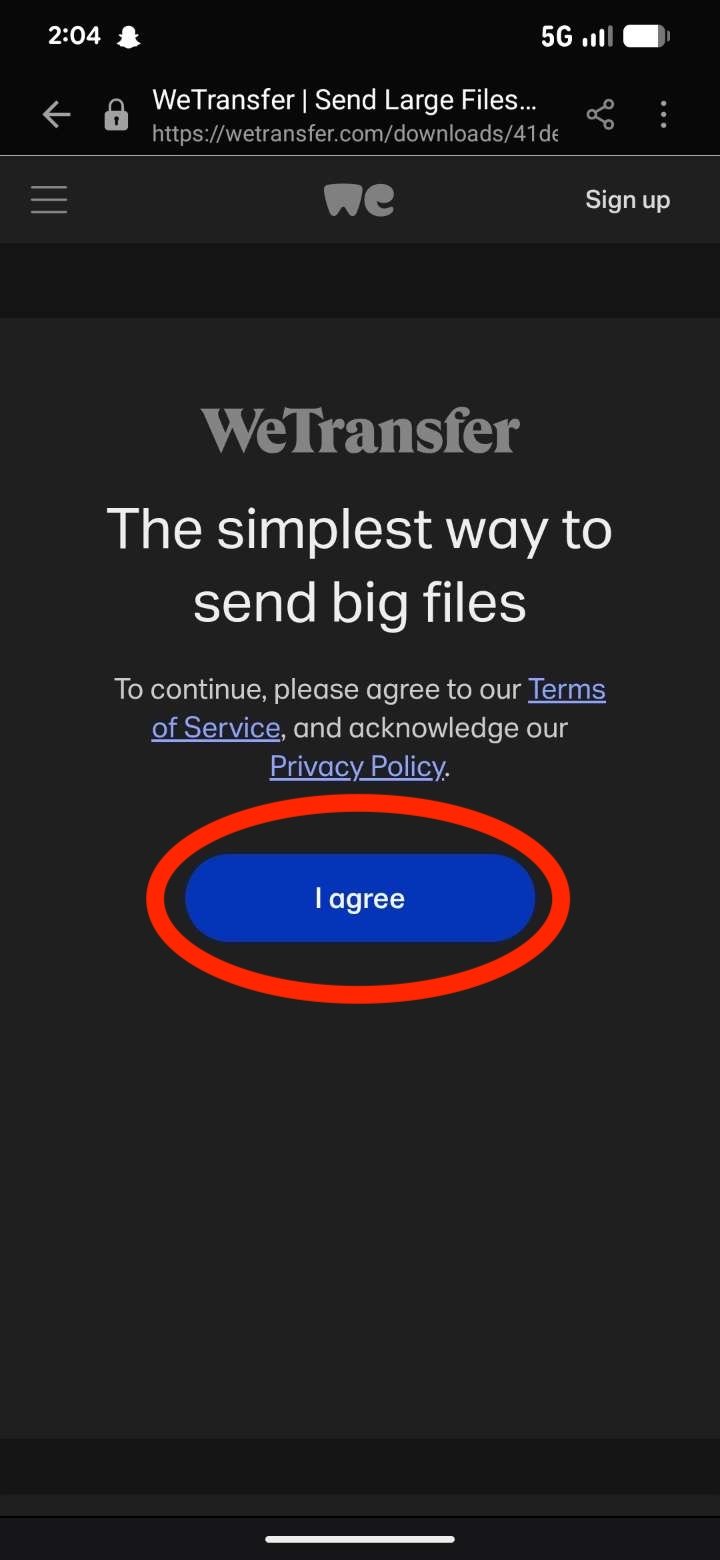
Tap on “I agree”
Once the Page loads scroll down a little bit to see each individual file listed. Then tap each individual blue arrow next to each file. This downloads each file separately.
*DO NOT Tap on the blue download button, it never works properly*
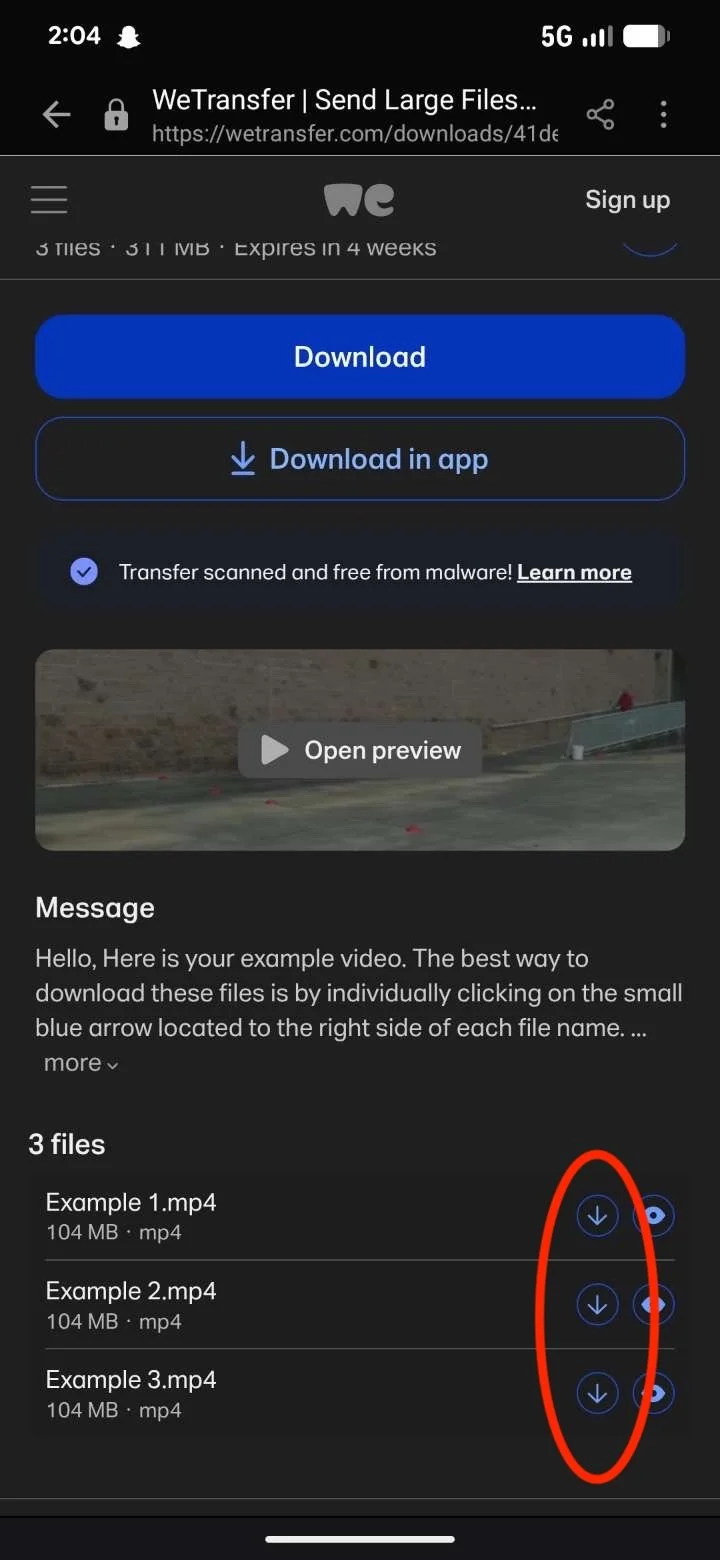
Repeat this step for each file.
A pop up that says “Open File” should pop up at the bottom of your screen. Before it goes away tap on open file.
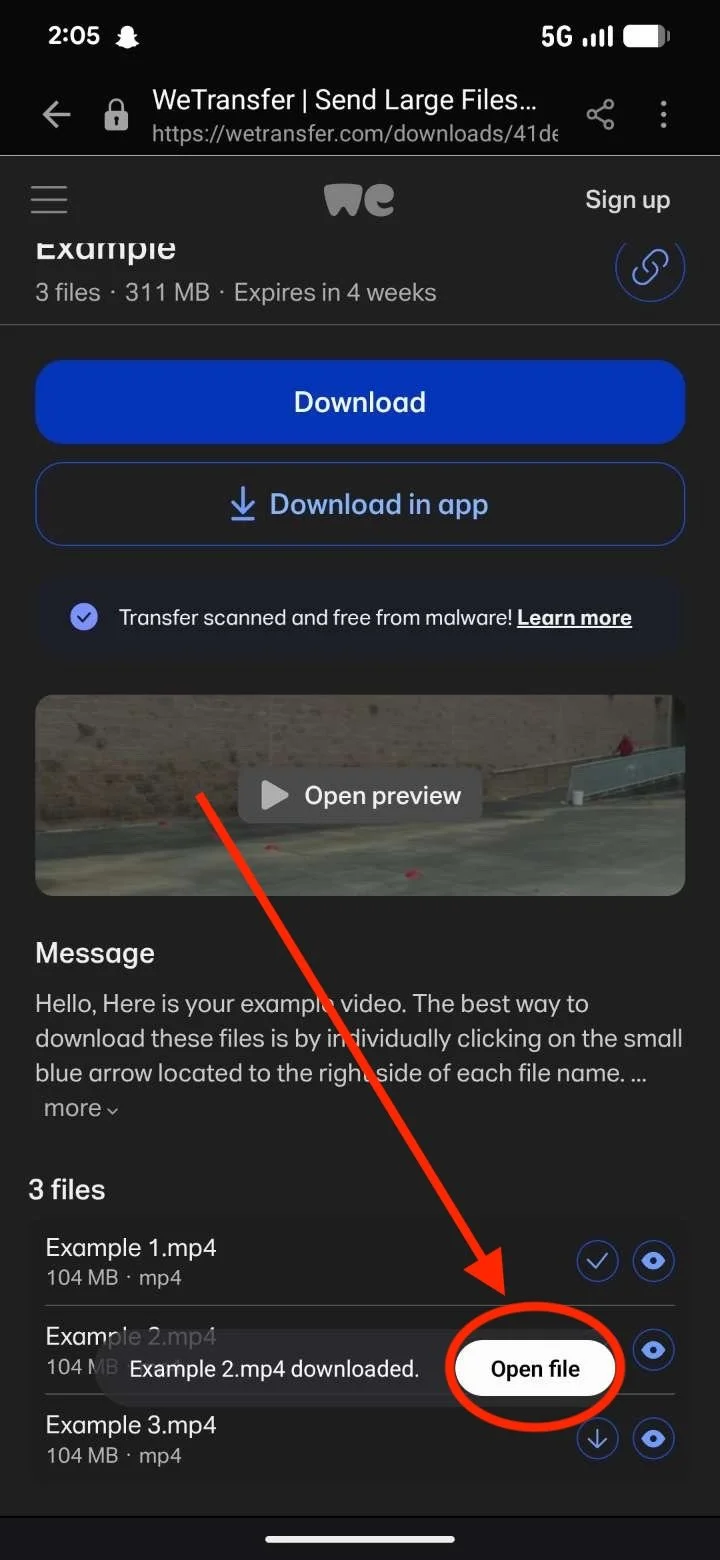
Repeat this step for each file.
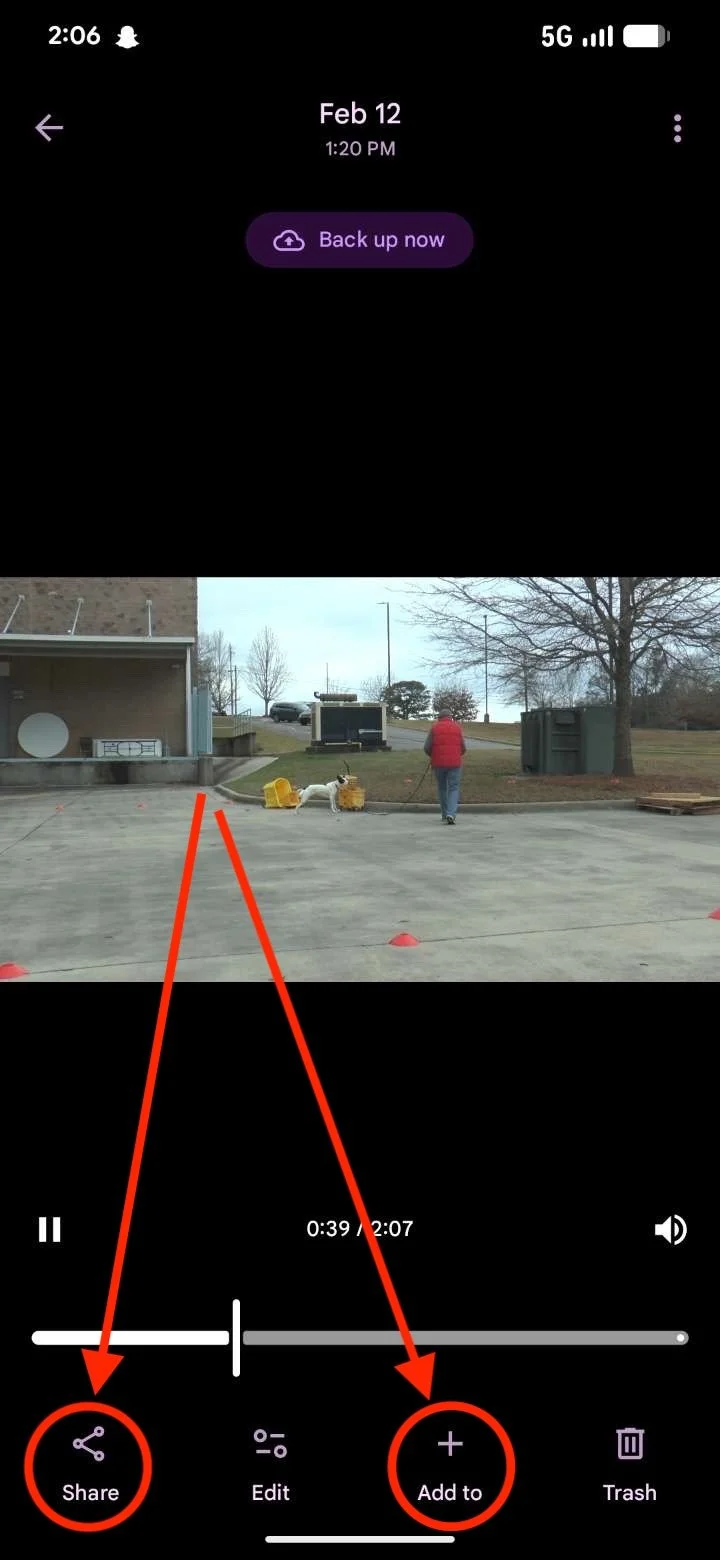
Once here you can either tap on share or add to, to then place the file wherever you’d like to store your video.